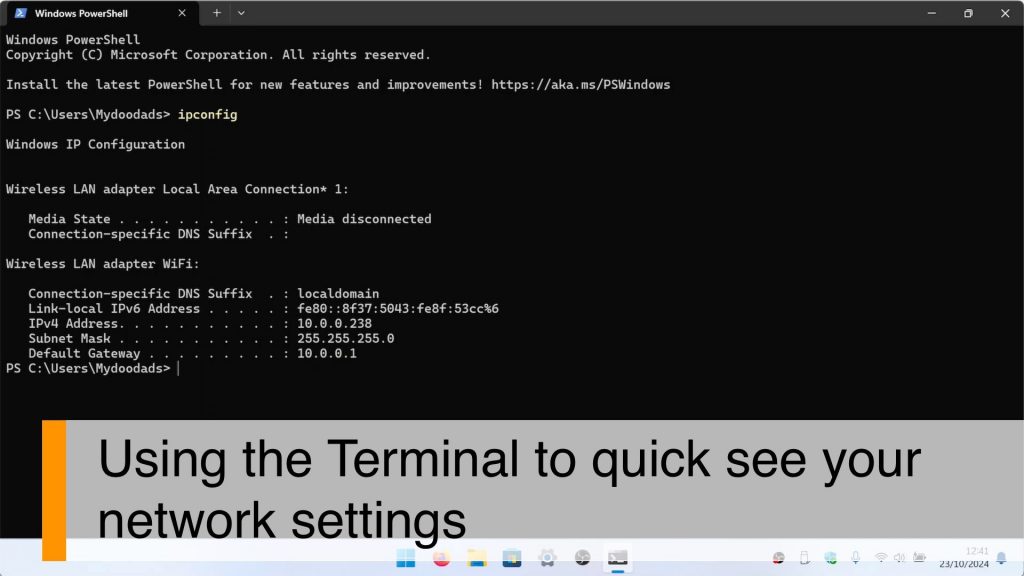
In this video we demonstrate how using a terminal command in Windows, you can quickly determine the IP address your computer is using. So because IP addresses are integral when troubleshooting connection issues. It can be very useful to know a fast way to determine the IP address a computer is using.
Note: This command will work with all versions of Windows, and is recognised by the Command Prompt, Power Shell and Windows Terminal. The names PowerShell and Windows Terminal now seem to be used interchangeably, but basically refer to the same thing. It’s also worth noting, that you should not need to open a Windows Terminal with administrators privileges in order to run this command.