





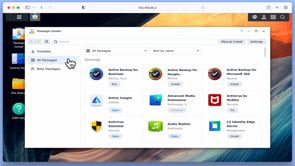
With the introduction of Disk Station Manager 7, Synology added a function called Active Insight. Active insight is a service that will create a dashboard that allows you to remotely monitor numerous stats regarding your NAS. So for example you can monitor system utilisation, see the status of your backups, check for updates, see who has logged in or attempted to log into user accounts, and monitor events that have taken place on your NAS.
Unfortunately, in order to use Active Insight you will need to use a Synology account, and pay for specific features with a yearly subscription. So we suspect that many home users may decide that they do not want to use Active Insight.
However Active Insight is installed by default and can not be uninstalled via Package Center. So in this video we demonstrate one method that will uninstall Active Insight on a Synology NAS.
Note: While we do not think that uninstalling Active Insight will have a detrimental effect on your NAS, you uninstall Active Insight at your own risk. However since we uninstalled Active Insight, we have not experienced any issues on our NAS.


