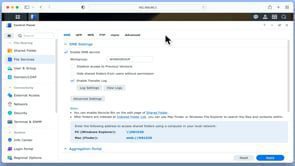
A Synology NAS is like a central hub for storing files on a network. To make the most of it, we need to know a bit about networking protocols and settings. Before we start creating network shares, let’s take a look at the settings in File Services.
- Log into your NAS using your Administrators credentials.
- Select Control Panel – File Services.
Server Message Block (SMB) is a networking protocol used to allow file sharing and access to printers. As SMB is used in Microsoft Windows, its general popularity has meant that SMB has become the de facto communication protocol for Linux and macOS. While there are multiple versions of SMB, for security reasons your NAS should be using SMB2 and SMB3.
Note: It is now considered bad practice to use SMB1 as it is no longer considered to be secure. If you find that you have a device that will not connect to your network shares using SMB 2 and 3, we recommend that you replace that device or upgrade its operating system, rather than using SMB 1.
Network File System (NFS) is a network file sharing protocol made by Sun Microsystems, that is natively built for Unix and Linux operating systems. However as Linux also supports SMB, and SMB has been the defacto file sharing protocol for most modern operating systems. Unless you have a specific need we recommend that you default your NAS to using SMB.
Apple Filing Protocol is a proprietary networking protocol which is part of Apple File Service. However, with the introduction of OS X 10.9 Mavericks, AFP was deprecated and support removed in macOS 11 Big Sur. Current versions of macOS now by default support SMB, so there is no need to enable AFP on your Synology NAS.
File Transfer Protocol or FTP, is a communications protocol that allows us to transfer computer files via a network from a server to a computer, or vice versa. Often used in conjunction with a piece of software (for example FileZilla), to facilitate the transfer of data. FTP was one of the main ways to transfer files over the internet until the advent of cloud sharing.
As a number of browsers have removed FTP from their functionality, and a Synology NAS can act as a very capable cloud storage solution. FTP has become less popular to use in the last few years.
- Spare network cables – Network Cables from Amazon.
- Mydoodads article – Synology NAS beginners guide | part 5 | Install Disk Station Manager.
- Mydoodads article – Synology NAS beginners guide | part 8 | Give your NAS a static local IP address.
- Mydoodads article – The alternative way to give a Synology NAS a Static IP address.
- Synology support article – Getting Started with DSM.
- Synology support article – File Services.
- Wikipedia – Server Message Block.
- Wikipedia – Apple File Protocol.
- Wikipedia – Network File System.