

If you’re having trouble with connecting macOS to your home network. To help you to diagnose the problem we have included any tips, or any diagnostic tools that might help to either, find or fix a problem.
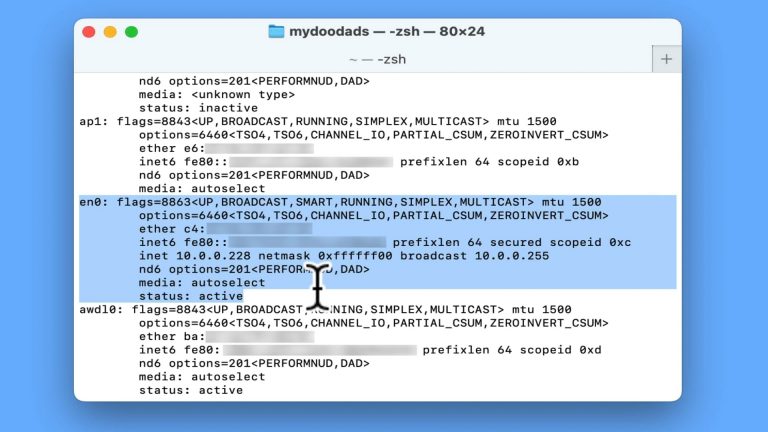
If you are a Windows user, you probably used a terminal command called ipconfig. However in macOS, while the ipconfig command is recognised. It does not produce a report to make it easy to see your computers network settings. Instead if you want to…
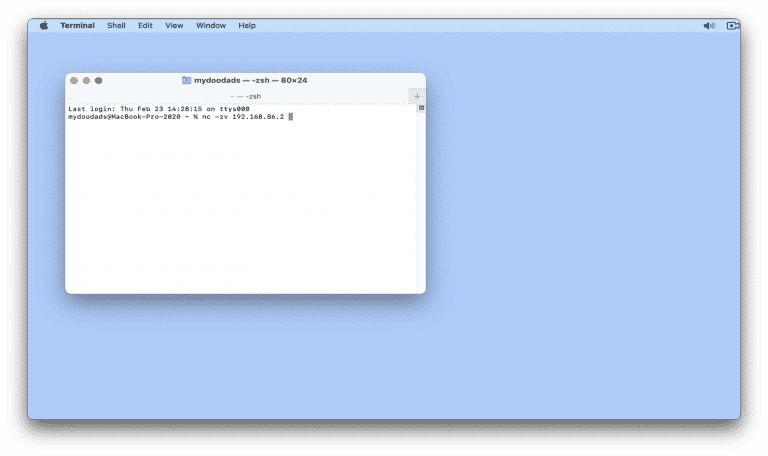
After configuring the firewall on your Synology NAS, you might want to test a specific port to see if it is open or closed. So in this video we demonstrate how from macOS, you can use a terminal command to test a firewall port. Note: When…

In this video, we’ll show you how to automatically mount network shares on macOS. This is a game-changer for anyone who’s used a Windows computers. Say goodbye to manual mounting and hello to seamless access to your network shares! Note: Just a heads…

To make accessing network shares on our Synology NAS a breeze, we’ve come up with a clever solution. We’ve created an Apple Script that automates the whole process of mounting network shares. While this script was originally meant for when we worked…

While you should be able to use Disk Station Manager to configure and user your Synology NAS, some prefer to use a command prompt. So in these instances, you can use SSH which creates a secure tunnel through which you access your NAS. On rare…

As a good wireless connection is so important to the use of a modern computer. It’s important to have a way to test the quality of the Wireless connection you are using. So in this video we take a look at a hidden tool built into macOS that can…

In this video, we’ll explore a macOS terminal command that’ll help us discover our computer’s unique name. This Computer Name is like a special label that helps us find our devices on a network. Knowing your computer’s name can be super helpful when…

In this video, we’re going to dive into a terminal command that can help us check our internet connection. Something which is a real lifesaver if you’re working from a new network, and are unsure how reliable the internet is. We especially like to…

In this video, we’ll show you a handy macOS Big Sur terminal command that can help you fix a common issue with your computer’s DNS (Domain Name System). If you’re frequently seeing 404 errors or web pages not loading, it might be because your DNS is…
