
For most operating systems, using the Terminal is a powerful and efficient way to interact with a computer. However in order to keep ChromeOS simple, Google limited the number of terminal commands that will run on a Chromebook. So for this section we have picked out the most useful commands for you to use with your Chromebook.
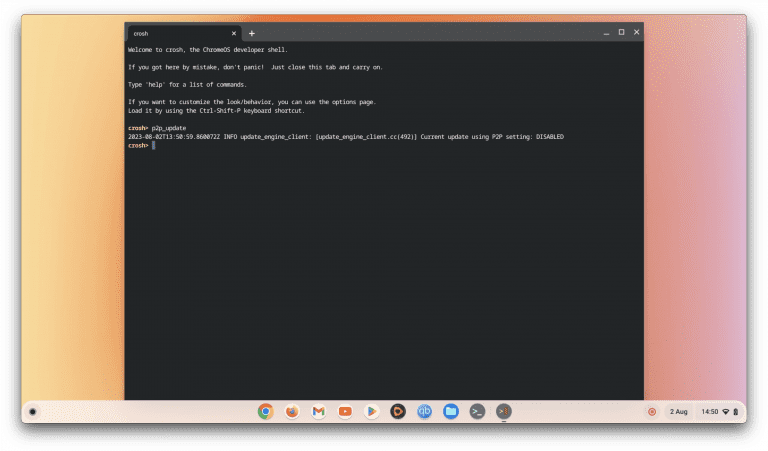
In this video we take a look at how you enable or disable Peer to Peer updates on a Google Chromebook. Peer to Peer updates is a method for reducing bandwidth issues when updating multiple computers on a network. So rather than have each computer…

In this video we demonstrate how you disable WiFi Power Save mode on a Google Chromebook. WiFi Power Save mode, is a setting designed to preserve the battery life of your Chromebook. Which is activated when your computer enters standby mode, or if…

In this video, we’ll show you two quick ways to find your Chromebook’s IP address. This can be super helpful when you’re having trouble connecting or just want to know which network you’re on. Note: An IP address is a series of unique characters that…

In this video we take a look at a terminal command, that will allow you to check the IP address a Chromebook is using. While you can find more extensive information regarding IP address in Network settings. This command can be useful if you want to…

In this video we look at how you can run a ping test from a Chromebook. This is a handy troubleshooting tool, that can help you to determine if a device is connected to your home network. You can also see exactly what level of latency that device…

Note: As of ChromeOS 119.0.6045.212 (December 12, 2023), we have noticed that the network_diag command is no longer recognised in the CROSH. So because we have no alternative CROSH command for running a WiFi network diagnostic. We will have to revert…

In this video we look at a Google Shell command called “TOP”. This command will allow you to monitor any process and system resources being used by the computer. It is a very useful tool for any system administrators or IT technicians, as…

In this video we take a look at a Google Shell command called “Uptime“. The aim of this command is to allow you to see how long a Chromebook has been running and what sort of loads your computers CPU’s are processing. This makes the…

In this video we look at how you can check the Random Access Memory (RAM) on a Google Chromebook. As this test will only check RAM that is not being used by Chrome OS, we recommend that you have no Apps running while executing this command. The test…
