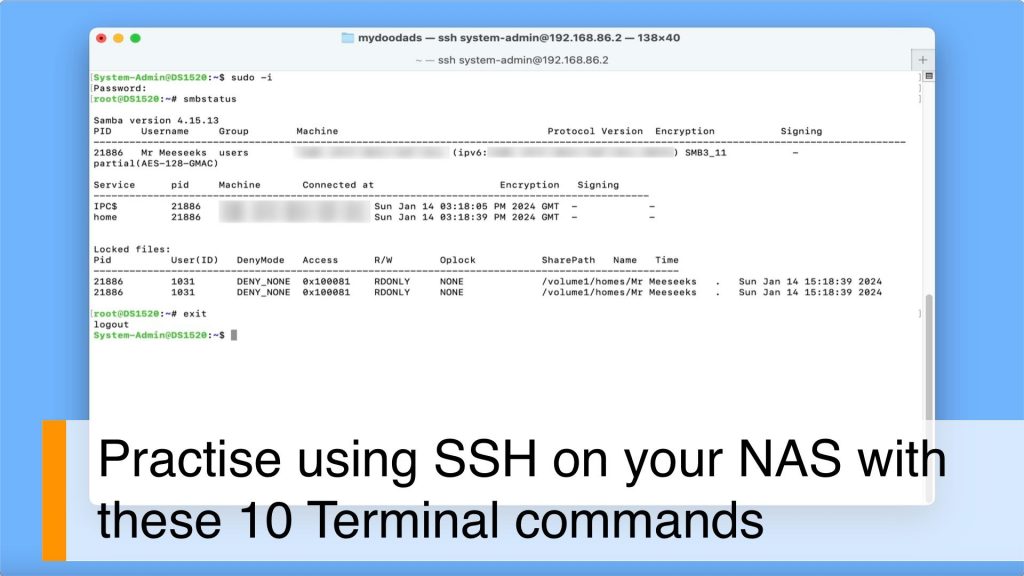
In this video, we’re going to dive into some handy terminal commands for your Synology NAS. Let’s kick things off with a few basic commands that can give you a heads up on troubleshooting any issues you might be facing. And then, we’ll wrap things up by showing you a command that’ll let you see which SMB connections are being made to your NAS.
Note: To run a terminal command from your NAS, you’ll need to enable SSH. SSH, or Secure Shell is a protocol that allows an administrator to securely access and execute commands via a command prompt. So because your NAS runs on Linux, you can also use SSH to run and execute commands that are not normally found in Disk Station Manager.
SSH is a great way to manage your NAS, both from your local machine and remotely over the internet. But, as a safety measure, it’s not a good idea to leave SSH enabled all the time. Instead, you should only turn it on when you need to do something specific on your NAS.