In this video, we’ll show you how to check the temperature of your Synology NAS manually. It’s a simple thing, but it can really affect how well your NAS works and how long it lasts. So, if it’s super hot outside or your NAS is in a really cold place, you might notice that it stops working properly or even shuts itself down to protect itself from damage.
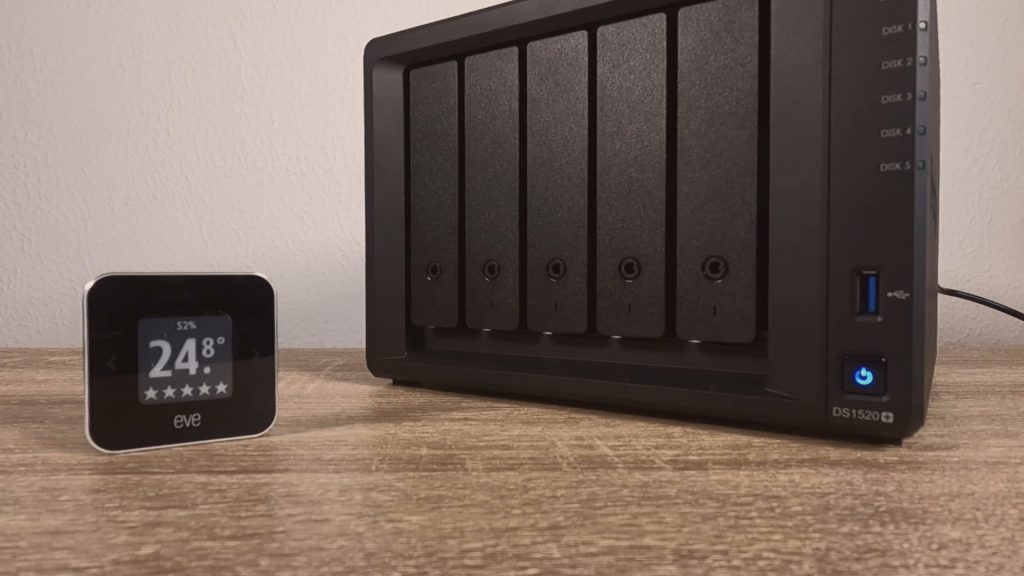
If you’ve put your NAS in a box or a room with poor ventilation, it’s a good idea to get a thermometer. That way, you can keep an eye on the temperature in the room. This is especially important during the summer, when the air coming into your NAS will be the warmest.
We’re big fans of the Eve Room indoor Air Quality Monitor because it’s a smart device that sends data straight to our phones. But if you’re on a budget, a cheap thermometer like the ThermoPro TP49 will do just as well.
Note: Just a heads up, not all Synology NAS models come with built-in sensors to check their internal temperature. So, you’ll need to check the specs of your NAS against the Synology website. But here’s the thing, most NAS models work well within a range of temperatures from 0 degrees Celsius (40 Fahrenheit) to 40 degrees Celsius (95 Fahrenheit).