

Once you have completed a basic setup of your Synology NAS. You can start exploring what it can do with the help of our tips and tricks videos. Which not only include tips and tricks that we have discovered over time. But also include step by step guides relating to more niche applications or services that your new NAS can run.
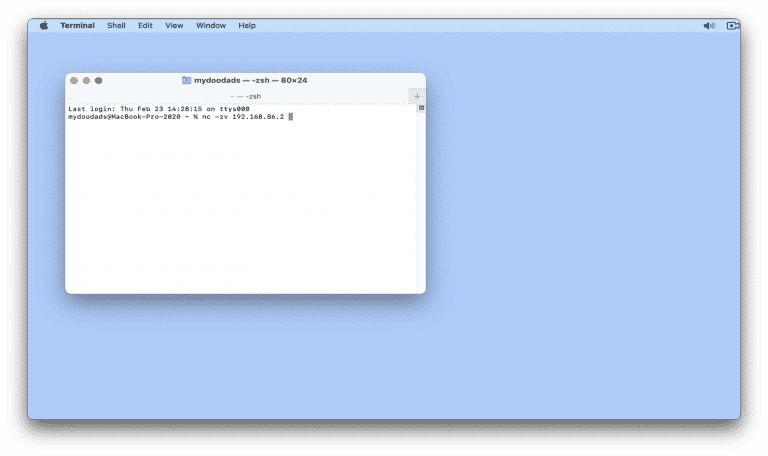
After configuring the firewall on your Synology NAS, you might want to test a specific port to see if it is open or closed. So in this video we demonstrate how from macOS, you can use a terminal command to test a firewall port. Note: When…

As the Synology Active Backup for Business agent on an Apple Macintosh computer, will hook itself into macOS. In order to fully uninstall the backup agent, you should use the uninstall script provided within the application. Note: Most applications…

When you install Synology photos onto your NAS, it will by default store all photos and videos in an individual users home folder. While this behaviour is by design, it is a problem if you want certain family memories to be accessible to all users of…

In this video, we’ll show you how to check the temperature of your Synology NAS manually. It’s a simple thing, but it can really affect how well your NAS works and how long it lasts. So, if it’s super hot outside or your NAS is in a really cold…

To boost the security of your Synology NAS, you should definitely get an SSL certificate. But here’s the thing, some certificates expire over time. So, in this guide, we’ll show you how to renew a paid SSL certificate on your Synology NAS. When you…

In this video, we’re going to dive into some handy terminal commands for your Synology NAS. Let’s kick things off with a few basic commands that can give you a heads up on troubleshooting any issues you might be facing. And then, we’ll wrap things up…

Having your NAS respond to pings is a handy way to check if it’s working properly. As it lets you see if your NAS is reachable from any devices on your network. But once you set up your firewall on your NAS, it won’t respond to pings by default. So…

In this video we demonstrate how on a Synology NAS you hide shared folders from users without permission. By default all shared folders created on a Synology NAS are displayed to all users, even if they do not have permission to a particular…

To make accessing network shares on our Synology NAS a breeze, we’ve come up with a clever solution. We’ve created an Apple Script that automates the whole process of mounting network shares. While this script was originally meant for when we worked…
